iOS 8.4 (12H143) for iPad mini 2 (WiFi)
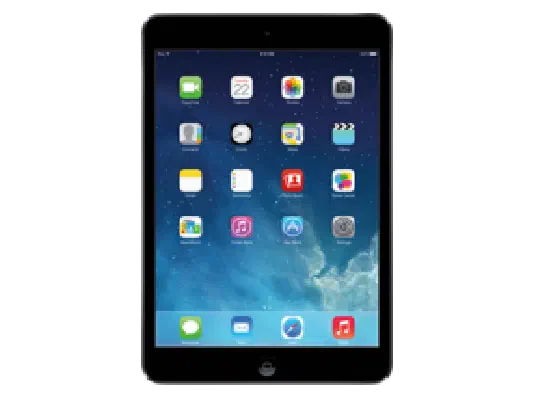
✗ This firmware is not signed. This means you cannot restore to it in Finder, the Apple Devices app, iTunes, or idevicerestore.
Your download should begin shortly. If it does not, you can download it directly here:
Download (1.9 GiB)This firmware is not signed. This means you cannot restore to it in Finder, the Apple Devices app, iTunes, or idevicerestore. The instructions below are included for reference only.
Windows
- Install the latest version of Apple Devices from the Microsoft Store.
- Plug your iPad mini 2 (WiFi) in to your PC.
- Open Apple Devices, and navigate to your iPad mini 2 (WiFi).
- Hold the Shift key on your keyboard, and press "Restore".
- Select the
iPad4,4_8.4_12H143_Restore.ipswfile that you downloaded. - Wait for the restore to complete, and the iPad mini 2 (WiFi) to reboot.
macOS
- Plug your iPad mini 2 (WiFi) in to your Mac.
- Navigate to your iPad mini 2 (WiFi) in Finder.
- Hold the Option or Alt key on your keyboard, and press "Restore".
- Select the
iPad4,4_8.4_12H143_Restore.ipswfile that you downloaded. - Wait for the restore to complete, and the iPad mini 2 (WiFi) to reboot.
Linux
- Install idevicerestore.
- Plug your iPad mini 2 (WiFi) in to your PC.
- Open a terminal, and navigate to the IPSW file that you downloaded, e.g.
cd ~/Downloads - To perform a full erase restore, type
idevicerestore -e iPad4,4_8.4_12H143_Restore.ipswand press enter. - Wait for the restore to complete, and the iPad mini 2 (WiFi) to reboot.
Windows
- Open PowerShell, and navigate to the IPSW file that you downloaded, e.g.
cd Downloads - Type
Get-FileHash iPad4,4_8.4_12H143_Restore.ipsw -Algorithm SHA1 - The output of the command should match the following checksum:
6ba1973f20a0c5529bb21d15ed792b549fa96f12. If it doesn't, you may need to redownload the file.
macOS
- Open a terminal, and navigate to the IPSW file that you downloaded, e.g.
cd ~/Downloads - Type
openssl sha1 iPad4,4_8.4_12H143_Restore.ipsw - The output of the command should match the following checksum:
6ba1973f20a0c5529bb21d15ed792b549fa96f12. If it doesn't, you may need to redownload the file.
Linux
- Open a terminal, and navigate to the IPSW file that you downloaded, e.g.
cd ~/Downloads - Type
openssl sha1 iPad4,4_8.4_12H143_Restore.ipsw - The output of the command should match the following checksum:
6ba1973f20a0c5529bb21d15ed792b549fa96f12. If it doesn't, you may need to redownload the file.
Checksums
| SHA256sum | fabc5de665650d223bb5aa28cd2ca3c20ceab65b3912a52901c8ccf3cc2bf41b |
|---|---|
| MD5sum | fabc5de665650d223bb5aa28cd2ca3c20ceab65b3912a52901c8ccf3cc2bf41b |
| SHA1sum | 6ba1973f20a0c5529bb21d15ed792b549fa96f12 |
iOS 8.4
This update introduces Apple Music—a revolutionary music service, 24/7 global radio, and a way for fans to connect with their favorite artists—all included in the redesigned Music app. iOS 8.4 also includes improvements for iBooks and bug fixes.
Apple Music
Become an Apple Music member to play from millions of songs in the Apple Music catalog, or keep them offline for playback later
For You: Members can see playlist and album recommendations, handpicked by music experts
New: Members can find the latest, greatest new music available - direct from our editors
Radio: Tune in to music, interviews, and exclusive radio shows on Beats 1, play radio stations created by our editors or create your own from any artist or song
Connect: See shared thoughts, photos, music, and videos from artists you follow, then join the conversation
My Music: Play from all of your iTunes purchases, songs from Apple Music, and playlists in one place
Completely redesigned music player that includes new features such as Recently Added, MiniPlayer, Up Next, and more
iTunes Store: Still the best place to buy your favorite music—one song or album at a time.
Availability and features may vary by country
iBooks improvements and fixes
Browse, listen and download audiobooks from inside iBooks
Enjoy the all-new Now Playing feature, designed specifically for audiobooks
Books that are Made for iBooks now work on iPhone in addition to iPad
Find and pre-order books in a series right from your library
Improves accessibility of widgets, glossary and navigation in books made with iBooks Author
New default Chinese font
New setting to turn off Auto-Night theme in your library
Resolves an issue that may have prevented Hide Purchases from working
Resolves an issue that may have prevented downloading books from iCloud
Other improvements and bug fixes
Fixes an issue where receiving a specific series of Unicode characters causes device to reboot
Fixes an issue that prevented GPS accessories from providing location data
Fixes an issue where deleted Apple Watch apps could re-install
For information on the security content of this update, please visit this website: