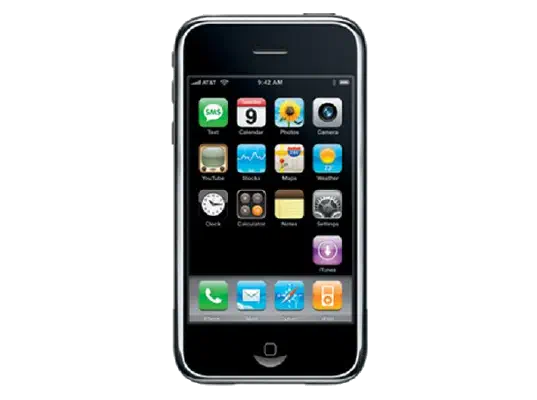
iPhoneOS 2.2 (5G77) for iPhone 2G
✓ This firmware is signed. This means that you can restore to it in Finder, the Apple Devices app, iTunes, or idevicerestore.
Your download should begin shortly. If it does not, you can download it directly here:
Download (246 MiB)Windows
- Install the latest version of Apple Devices from the Microsoft Store.
- Plug your iPhone 2G in to your PC.
- Open Apple Devices, and navigate to your iPhone 2G.
- Hold the Shift key on your keyboard, and press "Restore".
- Select the
iPhone1,1_2.2_5G77_Restore.ipswfile that you downloaded. - Wait for the restore to complete, and the iPhone 2G to reboot.
macOS
- Plug your iPhone 2G in to your Mac.
- Navigate to your iPhone 2G in Finder.
- Hold the Option or Alt key on your keyboard, and press "Restore".
- Select the
iPhone1,1_2.2_5G77_Restore.ipswfile that you downloaded. - Wait for the restore to complete, and the iPhone 2G to reboot.
Linux
- Install idevicerestore.
- Plug your iPhone 2G in to your PC.
- Open a terminal, and navigate to the IPSW file that you downloaded, e.g.
cd ~/Downloads - To perform a full erase restore, type
idevicerestore -e iPhone1,1_2.2_5G77_Restore.ipswand press enter. - Wait for the restore to complete, and the iPhone 2G to reboot.
Windows
- Open PowerShell, and navigate to the IPSW file that you downloaded, e.g.
cd Downloads - Type
Get-FileHash iPhone1,1_2.2_5G77_Restore.ipsw -Algorithm SHA1 - The output of the command should match the following checksum:
cbfc6ff886ce89868a55547b9fb980dbf92e6418. If it doesn't, you may need to redownload the file.
macOS
- Open a terminal, and navigate to the IPSW file that you downloaded, e.g.
cd ~/Downloads - Type
openssl sha1 iPhone1,1_2.2_5G77_Restore.ipsw - The output of the command should match the following checksum:
cbfc6ff886ce89868a55547b9fb980dbf92e6418. If it doesn't, you may need to redownload the file.
Linux
- Open a terminal, and navigate to the IPSW file that you downloaded, e.g.
cd ~/Downloads - Type
openssl sha1 iPhone1,1_2.2_5G77_Restore.ipsw - The output of the command should match the following checksum:
cbfc6ff886ce89868a55547b9fb980dbf92e6418. If it doesn't, you may need to redownload the file.
Checksums
| SHA256sum | 2cec457552fcb61b5b90c6959d59dd01cf02b59562def19608ce30b4dfc22052 |
|---|---|
| MD5sum | 2cec457552fcb61b5b90c6959d59dd01cf02b59562def19608ce30b4dfc22052 |
| SHA1sum | cbfc6ff886ce89868a55547b9fb980dbf92e6418 |
iPhone 2.2 Software Update
This update contains many bug fixes and improvements, including the following:
• Enhancements to Maps
- Google Street View
- public transit and walking directions
- display address of dropped pins
- share location via email
• Enhancements to Mail
- resolved isolated issues with scheduled fetching
of email
- improved formatting of wide HTML email
• Improved stability and performance of Safari
• Podcasts are now available for download in iTunes
application (over Wi-Fi and cellular network)
• Decrease in call set-up failures and call drops
• Improved sound quality of visual voicemail messages
• Pressing the Home button from any Home screen takes
you to the first Home screen
• Preference to turn on/off auto-correction in Keyboard
Settings
Products compatible with this software update:
• iPhone
• iPhone 3G
For feature descriptions and complete instructions, see the user guide for your iPhone at:
http://support.apple.com/manuals/iphone
For more information about iPhone, go to:
To troubleshoot your iPhone, or to view additional support information go to:
http://www.apple.com/support/iphone
For information on the security content of this update, please visit this website: