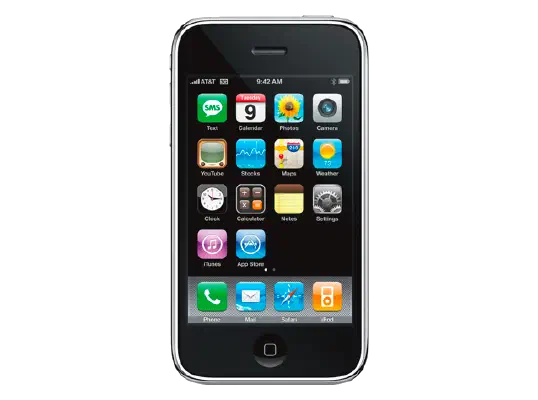
iPhoneOS 2.1 (5F136) for iPhone 3G
✗ This firmware is not signed. This means you cannot restore to it in Finder, the Apple Devices app, iTunes, or idevicerestore.
Your download should begin shortly. If it does not, you can download it directly here:
Download (238 MiB)This firmware is not signed. This means you cannot restore to it in Finder, the Apple Devices app, iTunes, or idevicerestore. The instructions below are included for reference only.
Windows
- Install the latest version of Apple Devices from the Microsoft Store.
- Plug your iPhone 3G in to your PC.
- Open Apple Devices, and navigate to your iPhone 3G.
- Hold the Shift key on your keyboard, and press "Restore".
- Select the
iPhone1,2_2.1_5F136_Restore.ipswfile that you downloaded. - Wait for the restore to complete, and the iPhone 3G to reboot.
macOS
- Plug your iPhone 3G in to your Mac.
- Navigate to your iPhone 3G in Finder.
- Hold the Option or Alt key on your keyboard, and press "Restore".
- Select the
iPhone1,2_2.1_5F136_Restore.ipswfile that you downloaded. - Wait for the restore to complete, and the iPhone 3G to reboot.
Linux
- Install idevicerestore.
- Plug your iPhone 3G in to your PC.
- Open a terminal, and navigate to the IPSW file that you downloaded, e.g.
cd ~/Downloads - To perform a full erase restore, type
idevicerestore -e iPhone1,2_2.1_5F136_Restore.ipswand press enter. - Wait for the restore to complete, and the iPhone 3G to reboot.
Windows
- Open PowerShell, and navigate to the IPSW file that you downloaded, e.g.
cd Downloads - Type
Get-FileHash iPhone1,2_2.1_5F136_Restore.ipsw -Algorithm SHA1 - The output of the command should match the following checksum:
c6957dcbf2a95ccfd6dce374a727b1b7700a9043. If it doesn't, you may need to redownload the file.
macOS
- Open a terminal, and navigate to the IPSW file that you downloaded, e.g.
cd ~/Downloads - Type
openssl sha1 iPhone1,2_2.1_5F136_Restore.ipsw - The output of the command should match the following checksum:
c6957dcbf2a95ccfd6dce374a727b1b7700a9043. If it doesn't, you may need to redownload the file.
Linux
- Open a terminal, and navigate to the IPSW file that you downloaded, e.g.
cd ~/Downloads - Type
openssl sha1 iPhone1,2_2.1_5F136_Restore.ipsw - The output of the command should match the following checksum:
c6957dcbf2a95ccfd6dce374a727b1b7700a9043. If it doesn't, you may need to redownload the file.
Checksums
| SHA256sum | ce946a55baba284544d91a9c05cbe500145d7219830633dbfb6930a17546ecc4 |
|---|---|
| MD5sum | ce946a55baba284544d91a9c05cbe500145d7219830633dbfb6930a17546ecc4 |
| SHA1sum | c6957dcbf2a95ccfd6dce374a727b1b7700a9043 |
iPhone 2.1 Software Update
iPhone version 2.1 contains many bug fixes and improvements, including the following:
• decrease in call set-up failures and call drops
• significantly improved battery life for most users
• dramatically reduced time to backup to iTunes
• improved email reliability, notably fetching email from POP and Exchange accounts
• faster installation of 3rd party applications
• fixed bugs causing hangs and crashes if you have lots of 3rd party applications
• improved performance in text messaging
• faster loading and searching of contacts
• improved accuracy of the 3G signal strength display
• repeat alert up to two additional times for incoming text messages
• option to wipe data after ten failed passcode attempts
• Genius playlist creation
For feature descriptions and complete instructions, see the user guide for your iPhone at:
http://www.apple.com/support/manuals/iphone
For more information about iPhone, go to:
To troubleshoot your iPhone, or to view additional support information go to:
http://www.apple.com/support/iphone
For information on the security content of this update, please visit this website: