iPhoneOS 3.0 (7A341) for iPhone 3GS
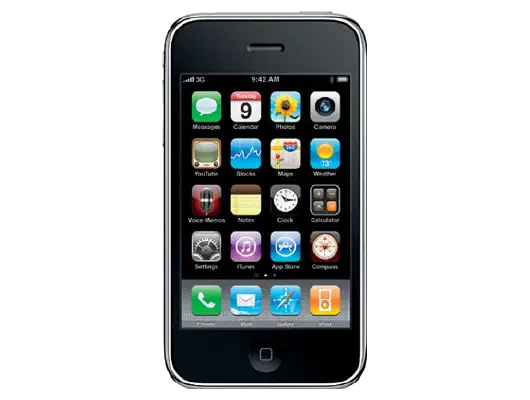
✗ This firmware is not signed. This means you cannot restore to it in Finder, the Apple Devices app, iTunes, or idevicerestore.
Your download should begin shortly. If it does not, you can download it directly here:
Download (298 MiB)This firmware is not signed. This means you cannot restore to it in Finder, the Apple Devices app, iTunes, or idevicerestore. The instructions below are included for reference only.
Windows
- Install the latest version of Apple Devices from the Microsoft Store.
- Plug your iPhone 3GS in to your PC.
- Open Apple Devices, and navigate to your iPhone 3GS.
- Hold the Shift key on your keyboard, and press "Restore".
- Select the
iPhone2,1_3.0_7A341_Restore.ipswfile that you downloaded. - Wait for the restore to complete, and the iPhone 3GS to reboot.
macOS
- Plug your iPhone 3GS in to your Mac.
- Navigate to your iPhone 3GS in Finder.
- Hold the Option or Alt key on your keyboard, and press "Restore".
- Select the
iPhone2,1_3.0_7A341_Restore.ipswfile that you downloaded. - Wait for the restore to complete, and the iPhone 3GS to reboot.
Linux
- Install idevicerestore.
- Plug your iPhone 3GS in to your PC.
- Open a terminal, and navigate to the IPSW file that you downloaded, e.g.
cd ~/Downloads - To perform a full erase restore, type
idevicerestore -e iPhone2,1_3.0_7A341_Restore.ipswand press enter. - Wait for the restore to complete, and the iPhone 3GS to reboot.
Windows
- Open PowerShell, and navigate to the IPSW file that you downloaded, e.g.
cd Downloads - Type
Get-FileHash iPhone2,1_3.0_7A341_Restore.ipsw -Algorithm SHA1 - The output of the command should match the following checksum:
d8534408c8679c830fd0c4e36ef9762c11ef73df. If it doesn't, you may need to redownload the file.
macOS
- Open a terminal, and navigate to the IPSW file that you downloaded, e.g.
cd ~/Downloads - Type
openssl sha1 iPhone2,1_3.0_7A341_Restore.ipsw - The output of the command should match the following checksum:
d8534408c8679c830fd0c4e36ef9762c11ef73df. If it doesn't, you may need to redownload the file.
Linux
- Open a terminal, and navigate to the IPSW file that you downloaded, e.g.
cd ~/Downloads - Type
openssl sha1 iPhone2,1_3.0_7A341_Restore.ipsw - The output of the command should match the following checksum:
d8534408c8679c830fd0c4e36ef9762c11ef73df. If it doesn't, you may need to redownload the file.
Checksums
| SHA256sum | 5045b7272a03da58d5c8b1a390569dc17faae0e46c2dfab8f34efe2d47fa8207 |
|---|---|
| MD5sum | 5045b7272a03da58d5c8b1a390569dc17faae0e46c2dfab8f34efe2d47fa8207 |
| SHA1sum | d8534408c8679c830fd0c4e36ef9762c11ef73df |
iPhone OS 3.0 Software Update
This update contains over 100 new features, including the following:
• Cut, Copy & Paste with shake to undo
• Landscape keyboard in key applications
• Enhanced Messages application
- Send and receive photos, contacts, audio files, and location via MMS*
- Forward and delete single or multiple messages
• Added search feature in Mail, Calendar, Notes and iPod
• Spotlight search across iPhone
• Support for CalDAV and subscriptions in Calendar
• Improvements to Safari
- Performance
- HTML 5 support
- HTTP Streaming audio and video
- Auto-fill usernames and passwords
• New Voice Memos application
• Sync Notes with a Mac or PC via iTunes
• Internet Tethering over USB and Bluetooth*
• Browse and download movies, TV shows, and audiobooks from the iTunes Store**
• Stereo Bluetooth***
• Wi-Fi auto login
• Enhanced Stocks application
• More Parental Control options for Apps, Music, Movies and TV Shows
• iTunes account creation and login**
• YouTube account login and access to subscriptions, ratings and favorites**
• Shake to shuffle
• New languages, dictionaries, and keyboards
• Find my iPhone and Remote Wipe via MobileMe (subscription required)**
• Support for more Exchange policies
• Create and send Exchange meeting invitations
• Search mail on server (Exchange Server 2007 and supported IMAP servers)
• Search LDAP company directory
• VPN on demand and VPN proxy support
• Encrypted configuration profiles
• Encrypted iTunes backups
• 1,000 new developer APIs, including:
- In App Purchases
- Apple Push Notification Service
- Accessories support
- Peer to Peer Connectivity
- Embedded Maps
- iPod Library Access
• Bug fixes
Products compatible with this software update:
• iPhone
• iPhone 3G
• iPhone 3G S
* Compatible only with iPhone 3G and iPhone 3G S and requires support from your wireless provider.
** Not available in all regions or in all languages.
*** Compatible only with iPhone 3G and iPhone 3G S.
For feature descriptions and complete instructions, see the user guide for your iPhone at:
http://www.apple.com/support/manuals/iphone
For more information about iPhone, go to:
To troubleshoot your iPhone, or to view additional support information go to:
http://www.apple.com/support/iphone
For information on the security content of this update, please visit this website: