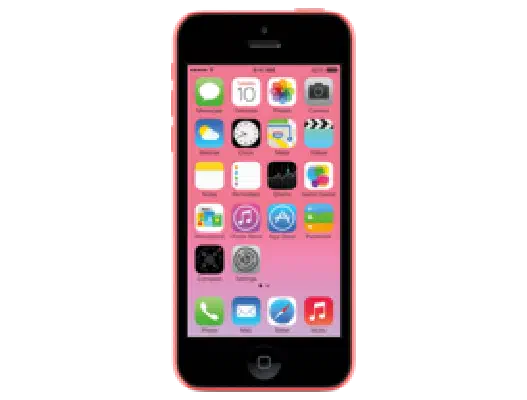
iOS 9.2 (13C75) for iPhone 5c (GSM)
✗ This firmware is not signed. This means you cannot restore to it in Finder, the Apple Devices app, iTunes, or idevicerestore.
Your download should begin shortly. If it does not, you can download it directly here:
Download (1.6 GiB)This firmware is not signed. This means you cannot restore to it in Finder, the Apple Devices app, iTunes, or idevicerestore. The instructions below are included for reference only.
Windows
- Install the latest version of Apple Devices from the Microsoft Store.
- Plug your iPhone 5c (GSM) in to your PC.
- Open Apple Devices, and navigate to your iPhone 5c (GSM).
- Hold the Shift key on your keyboard, and press "Restore".
- Select the
iPhone5,3_9.2_13C75_Restore.ipswfile that you downloaded. - Wait for the restore to complete, and the iPhone 5c (GSM) to reboot.
macOS
- Plug your iPhone 5c (GSM) in to your Mac.
- Navigate to your iPhone 5c (GSM) in Finder.
- Hold the Option or Alt key on your keyboard, and press "Restore".
- Select the
iPhone5,3_9.2_13C75_Restore.ipswfile that you downloaded. - Wait for the restore to complete, and the iPhone 5c (GSM) to reboot.
Linux
- Install idevicerestore.
- Plug your iPhone 5c (GSM) in to your PC.
- Open a terminal, and navigate to the IPSW file that you downloaded, e.g.
cd ~/Downloads - To perform a full erase restore, type
idevicerestore -e iPhone5,3_9.2_13C75_Restore.ipswand press enter. - Wait for the restore to complete, and the iPhone 5c (GSM) to reboot.
Windows
- Open PowerShell, and navigate to the IPSW file that you downloaded, e.g.
cd Downloads - Type
Get-FileHash iPhone5,3_9.2_13C75_Restore.ipsw -Algorithm SHA1 - The output of the command should match the following checksum:
f0400ae838adf7a931d1c0dd99e55ffc37651f77. If it doesn't, you may need to redownload the file.
macOS
- Open a terminal, and navigate to the IPSW file that you downloaded, e.g.
cd ~/Downloads - Type
openssl sha1 iPhone5,3_9.2_13C75_Restore.ipsw - The output of the command should match the following checksum:
f0400ae838adf7a931d1c0dd99e55ffc37651f77. If it doesn't, you may need to redownload the file.
Linux
- Open a terminal, and navigate to the IPSW file that you downloaded, e.g.
cd ~/Downloads - Type
openssl sha1 iPhone5,3_9.2_13C75_Restore.ipsw - The output of the command should match the following checksum:
f0400ae838adf7a931d1c0dd99e55ffc37651f77. If it doesn't, you may need to redownload the file.
Checksums
| SHA256sum | 10d3b2d14613a0819bd48eb019ef679fa1d72031317f7cc7564448c3083dcff8 |
|---|---|
| MD5sum | 10d3b2d14613a0819bd48eb019ef679fa1d72031317f7cc7564448c3083dcff8 |
| SHA1sum | f0400ae838adf7a931d1c0dd99e55ffc37651f77 |
iOS 9.2
This update contains improvements and bug fixes including:
• Apple Music improvements
◦ You can now create a new playlist when adding a song to a playlist
◦ Your most recently changed playlist is now listed at the top when adding songs to playlists
◦ Download albums or playlists from your iCloud Music Library by tapping the iCloud download button
◦ See which songs have been downloaded with the new download indicator next to each song in My Music and Playlists
◦ See works, composers, and performers while browsing Classical music in the Apple Music catalog
• A new Top Stories section in News so you can stay up to date with the most important news of the day (available in the United States, United Kingdom, and Australia)
• Mail Drop in Mail for sending large attachments
• iBooks now supports 3D Touch to peek and pop pages from the table of contents, your notes and bookmarks, or from search results inside a book
• iBooks now supports listening to an audiobook while you browse your library, read other books, or explore the iBooks Store
• iPhone support for the USB Camera Adapter to import photos and videos
• Improved stability of Safari
• Improved stability of Podcasts
• Fixing an issue that caused mail attachments to be inaccessible for some users with POP email accounts
• Resolving an issue for some users that caused attachments to overlap text in mail
• Fixing an issue where Live Photos could have turned off after restoring from a previous iCloud backup
• Addressing an issue that could cause search in Contacts to display no results
• Resolving an issue that could have prevented Calendar from displaying all seven days in week view
• Fixing an issue where Camera screen on iPad could be black when attempting to capture video
• Addressing an issue that could cause instability in the Activity app when viewing the day of Daylight Savings Time transition
• Fixing an issue that could prevent data from appearing in Health
• Fixing an issue that could prevent Wallet updates and Lock screen alerts from displaying
• Addressing an issue where updating iOS could prevent an alarm from going off
• Fixing an issue where some users were unable to login to Find my iPhone
• Fixing an issue that prevented some manual iCloud Backups from completing
• Addressing an issue where using the iPad keyboard could unintentionally trigger text selection mode
• Improved keyboard responsiveness when using Quick Reply
• Improved punctuation input on the 10-key Chinese (Pinyin & Stroke) keyboards with new expanded view of punctuation symbols and better predictions
• Fixing an issue on Cyrillic keyboards where caps lock would be enabled when typing in URL or email fields
• Accessibility improvements
◦ Fixing issues with VoiceOver when using Camera face detection
◦ Adding support for VoiceOver to wake up the screen
◦ Adding support for VoiceOver to invoke app switcher with 3D Touch gesture
◦ Fixing an issue with Guided Access when trying to end phone calls
◦ Improved functionality for Switch Control users when using 3D Touch
◦ Fixing an issue with speech rate of Speak Screen
• Siri support for Arabic (Saudi Arabia, United Arab Emirates)
For information on the security content of this update, please visit this website: