iOS 7.1 (11D167) for iPod touch 5
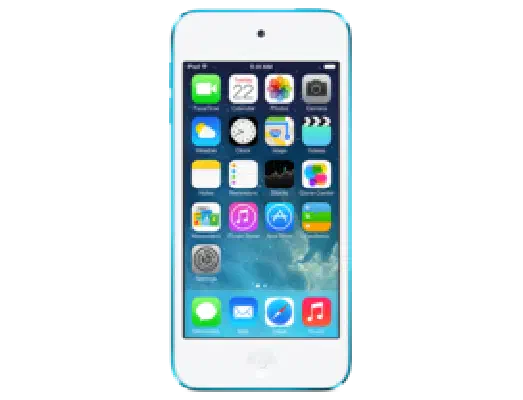
✗ This firmware is not signed. This means you cannot restore to it in Finder, the Apple Devices app, iTunes, or idevicerestore.
Your download should begin shortly. If it does not, you can download it directly here:
Download (1.2 GiB)This firmware is not signed. This means you cannot restore to it in Finder, the Apple Devices app, iTunes, or idevicerestore. The instructions below are included for reference only.
Windows
- Install the latest version of Apple Devices from the Microsoft Store.
- Plug your iPod touch 5 in to your PC.
- Open Apple Devices, and navigate to your iPod touch 5.
- Hold the Shift key on your keyboard, and press "Restore".
- Select the
iPod5,1_7.1_11D167_Restore.ipswfile that you downloaded. - Wait for the restore to complete, and the iPod touch 5 to reboot.
macOS
- Plug your iPod touch 5 in to your Mac.
- Navigate to your iPod touch 5 in Finder.
- Hold the Option or Alt key on your keyboard, and press "Restore".
- Select the
iPod5,1_7.1_11D167_Restore.ipswfile that you downloaded. - Wait for the restore to complete, and the iPod touch 5 to reboot.
Linux
- Install idevicerestore.
- Plug your iPod touch 5 in to your PC.
- Open a terminal, and navigate to the IPSW file that you downloaded, e.g.
cd ~/Downloads - To perform a full erase restore, type
idevicerestore -e iPod5,1_7.1_11D167_Restore.ipswand press enter. - Wait for the restore to complete, and the iPod touch 5 to reboot.
Windows
- Open PowerShell, and navigate to the IPSW file that you downloaded, e.g.
cd Downloads - Type
Get-FileHash iPod5,1_7.1_11D167_Restore.ipsw -Algorithm SHA1 - The output of the command should match the following checksum:
4a343ece50ca318f5d5f8cf11e94be5fd25d4d92. If it doesn't, you may need to redownload the file.
macOS
- Open a terminal, and navigate to the IPSW file that you downloaded, e.g.
cd ~/Downloads - Type
openssl sha1 iPod5,1_7.1_11D167_Restore.ipsw - The output of the command should match the following checksum:
4a343ece50ca318f5d5f8cf11e94be5fd25d4d92. If it doesn't, you may need to redownload the file.
Linux
- Open a terminal, and navigate to the IPSW file that you downloaded, e.g.
cd ~/Downloads - Type
openssl sha1 iPod5,1_7.1_11D167_Restore.ipsw - The output of the command should match the following checksum:
4a343ece50ca318f5d5f8cf11e94be5fd25d4d92. If it doesn't, you may need to redownload the file.
Checksums
| SHA256sum | d6959b6ad1747d2c4b1f449932e91093341d4cf8c7f15488580fec63144e69aa |
|---|---|
| MD5sum | d6959b6ad1747d2c4b1f449932e91093341d4cf8c7f15488580fec63144e69aa |
| SHA1sum | 4a343ece50ca318f5d5f8cf11e94be5fd25d4d92 |
iOS 7.1
This update contains improvements and bug fixes, including:
• CarPlay
◦ iOS experience designed for the car
◦ Simply connect your iPhone to a CarPlay enabled vehicle
◦ Supports Phone, Music, Maps, Messages, and 3rd-party audio apps
◦ Control with Siri and the car's touchscreen, knobs, and buttons
• Siri
◦ Manually control when Siri listens by holding down the home button while you speak and releasing it when you're done as an alternative to letting Siri automatically notice when you stop talking
◦ New, more natural sounding male and female voices for Mandarin Chinese, UK English, Australian English, and Japanese
• iTunes Radio
◦ Search field above Featured Stations to easily create stations based on your favorite artist or song
◦ Buy albums with the tap of a button from Now Playing
◦ Subscribe to iTunes Match on your iPhone, iPad, or iPod touch to enjoy iTunes Radio ad-free
• Calendar
◦ Option to display events in month view
◦ Country specific holidays automatically added for many countries
• Accessibility
◦ Bold font option now includes the keyboard, calculator, and many icon glyphs
◦ Reduce Motion option now includes Weather, Messages, and multitasking UI animations
◦ New options to display button shapes, darken app colors, and reduce white point
• New Camera setting to automatically enable HDR for iPhone 5s
• iCloud Keychain support in additional countries
• FaceTime call notifications are automatically cleared when you answer a call on another device
• Fixes a bug that could occasionally cause a home screen crash
• Improves Touch ID fingerprint recognition
• Improved performance for iPhone 4
• Fixes display of Mail unread badge for numbers greater than 10,000
• Continued user interface refinements
For information on the security content of this update, please visit this website: