audioOS 27.2 (24K122) for HomePod mini
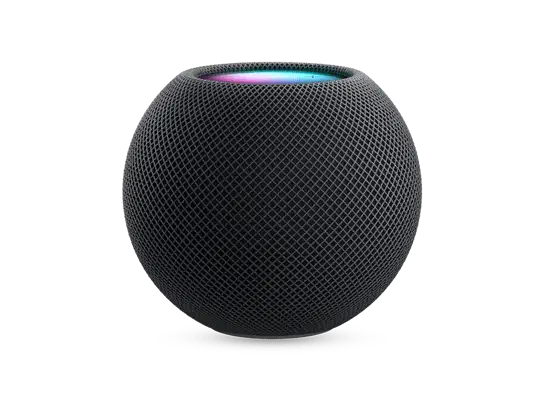
✓ This firmware is signed. This means that you can restore to it in Finder, the Apple Devices app, iTunes, or idevicerestore.
Your download should begin shortly. If it does not, you can download it directly here:
Download (4.1 GiB)Windows
- Install the latest version of Apple Devices from the Microsoft Store.
- Plug your HomePod mini in to your PC.
- Open Apple Devices, and navigate to your HomePod mini.
- Hold the Shift key on your keyboard, and press "Restore".
- Select the
AudioAccessory5,1_27.2_24K122_Restore.ipswfile that you downloaded. - Wait for the restore to complete, and the HomePod mini to reboot.
macOS
- Plug your HomePod mini in to your Mac.
- Navigate to your HomePod mini in Finder.
- Hold the Option or Alt key on your keyboard, and press "Restore".
- Select the
AudioAccessory5,1_27.2_24K122_Restore.ipswfile that you downloaded. - Wait for the restore to complete, and the HomePod mini to reboot.
Linux
- Install idevicerestore.
- Plug your HomePod mini in to your PC.
- Open a terminal, and navigate to the IPSW file that you downloaded, e.g.
cd ~/Downloads - To perform a full erase restore, type
idevicerestore -e AudioAccessory5,1_27.2_24K122_Restore.ipswand press enter. - Wait for the restore to complete, and the HomePod mini to reboot.
Windows
- Open PowerShell, and navigate to the IPSW file that you downloaded, e.g.
cd Downloads - Type
Get-FileHash AudioAccessory5,1_27.2_24K122_Restore.ipsw -Algorithm SHA1 - The output of the command should match the following checksum:
2aa5d5d1f074d4093a943415e65f617612e8909f. If it doesn't, you may need to redownload the file.
macOS
- Open a terminal, and navigate to the IPSW file that you downloaded, e.g.
cd ~/Downloads - Type
openssl sha1 AudioAccessory5,1_27.2_24K122_Restore.ipsw - The output of the command should match the following checksum:
2aa5d5d1f074d4093a943415e65f617612e8909f. If it doesn't, you may need to redownload the file.
Linux
- Open a terminal, and navigate to the IPSW file that you downloaded, e.g.
cd ~/Downloads - Type
openssl sha1 AudioAccessory5,1_27.2_24K122_Restore.ipsw - The output of the command should match the following checksum:
2aa5d5d1f074d4093a943415e65f617612e8909f. If it doesn't, you may need to redownload the file.
Checksums
| SHA1sum | 2aa5d5d1f074d4093a943415e65f617612e8909f
|
|---|
HomePod software version 27.2 brings the new Sound Glow visual experience, home theater surround sound with Apple TV 4K (4th generation), and support for using HomePod speakers with your Mac, along with bug fixes and security updates for your HomePod.
Sound Glow on HomePod mini, HomePod mini 2, and HomePod (2nd generation) turns the top of HomePod into a visual display that pulses and glows in sync with your media and shows matching light animations for soundscapes
Home theater surround sound supports connecting four HomePod speakers to Apple TV 4K (4th generation) for an immersive listening experience. Requires matching front and rear pairs of HomePod mini 2 or HomePod (2nd generation)
HomePod speakers with your Mac lets you set HomePod as the audio output for everything you do on your Mac, with a responsive and persistent AirPlay connection
Lock controls let you disable the touch controls on top of HomePod to prevent accidental taps from pausing music, skipping songs, or changing the volume